
15 Chat GPT Prompts That Will Transform Your Digital Career
Disclosure: Some of the links in this post are affiliate links. This means if you click on the link and purchase an item, I will receive an affiliate commission at no extra cost to you.
Your digital career can change dramatically when you stop using ChatGPT only for simple questions. Many people open the tool, type a vague request, and accept the first response. However, better prompts can help you work faster, prepare more professionally, and discover opportunities you may have overlooked.
The right prompts can support your job search, client communication, portfolio development, pricing, content planning, and everyday workflow. For example, you can ask ChatGPT to tailor your CV for a specific role. You can also use it to prepare for interviews, create professional client emails, and build a lead-generation strategy.
Furthermore, freelancers can use targeted prompts to draft contracts, create standard operating procedures, and handle difficult client conversations. Content creators can develop monthly calendars without staring at a blank page. Beginners can even ask for simple explanations when learning unfamiliar software or digital tools.
That flexibility makes practical AI knowledge one of the digital skills that will keep on paying. You do not need to master complicated technology before seeing results. Instead, you need to understand what problem you want to solve and give ChatGPT enough context to help.
The key involves using AI as a productivity partner rather than treating it like a search box. Consequently, the quality of your instructions can influence the quality of your results. You can also strengthen your broader career strategy with 5 Lucrative Remote Skills You Can Learn in 2026.
15 ChatGPT Prompts That Will Transform Your Digital Career
1. Write Your Upwork Proposal
Winning freelance proposals do not need complicated language. They need relevance, confidence, and a clear understanding of the client’s problem.
A generic proposal can make your application disappear quickly. Instead, use ChatGPT to connect your skills directly to the job description.
Prompt:

This prompt gives ChatGPT enough information to create a focused proposal. Before sending anything, review every sentence yourself. Add a genuine detail about the project when possible. That small addition can make your proposal sound more personal.
You can also improve your broader application strategy through 6 FREE Websites That Gets You Hired FAST. That resource can complement your proposal-writing process by helping you discover additional opportunities.
2. Build Your Portfolio Without a Client
Many beginners avoid freelancing because they have no client work to display. Fortunately, you can create realistic practice projects before landing your first client. A fictional project can demonstrate your thinking, organization, and technical ability. Just label practice work honestly.
Prompt
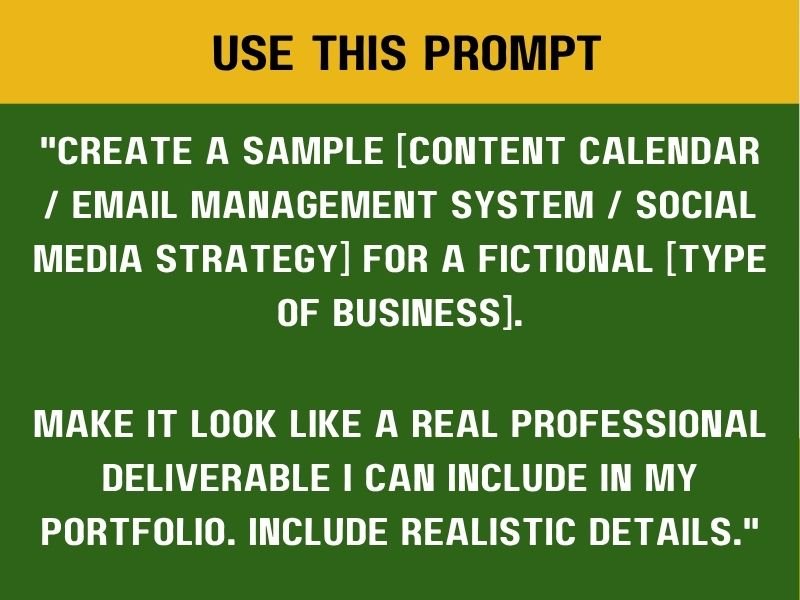
This prompt works especially well for virtual assistants, social media managers, writers, and operations professionals. Choose a niche before generating the project.
A fitness coach needs different support from a software company. Therefore, your sample should reflect the audience and business model. After creating several samples, organize them inside a simple portfolio.
You can use Google Drive, Notion, Canva, or a basic website. Your portfolio should answer one question quickly: “Can this person actually do the work?”
For more ideas, explore 10 APPS That Teaches Tech Skills for FREE. Those skills can help you create stronger portfolio examples.
3. Rewrite Your LinkedIn Bio
Your LinkedIn bio should explain your value instead of simply repeating your job history. A strong bio helps potential clients understand who you help and what you can accomplish.
Prompt
!["Rewrite my LinkedIn bio to attract [type of client] who needs [your service]. My experience is [brief summary].
Make it speak directly to what the client needs, not just list my skills. Keep it under 200 words and make it conversational, not corporate."](http://thatremotedesk.com/wp-content/uploads/2026/09/Rewrite-Your-LinkedIn-Bio.jpg)
That structure pushes the writing toward the client. You can also add a measurable result when you have one. For example, mention time saved, revenue generated, projects completed, or customers supported. Avoid inflated claims. Your LinkedIn profile should remain accurate.
You can strengthen your professional positioning further with 8 Powerful AI Prompts You Can Use for Job Search. A better profile becomes much more useful when your job-search strategy supports it.
4. Prepare for a Client Interview
Interviews often feel harder when you do not know what the client may ask. ChatGPT can help you anticipate likely questions and prepare thoughtful answers.
Prompt

The important part is adding your real background to the practice process. Generic answers may not reflect your actual experience or give you useful preparation for a real interview.
Tell ChatGPT about your experience, the tools you have used, your strengths, and the projects you have completed. It can then help you develop practice questions and answers that are relevant to your background.
After preparing your answers, practise saying them aloud. The goal is to sound natural and confident rather than memorise every sentence word for word.
You can also ask ChatGPT to challenge your answers with follow-up questions. This can help you practise thinking on your feet and prepare for unexpected questions during an actual interview.
For additional career preparation, explore 10 Skills AI Can’t Replace That You Should Be Learning. These skills can strengthen the human qualities you need during interviews.
5. Draft Professional Client Emails
Freelancers often spend too much time writing emails. A simple update can take longer than expected when you want to sound professional without sounding cold. ChatGPT can help you create clearer communication.
Prompt

This prompt gives ChatGPT a clear communication goal, but you should still personalise the final message before sending it. Add the project name when necessary and mention specific dates when the client needs them. Remove unnecessary explanations and keep the message focused on the information the client actually needs.
Good client communication should save time rather than create more confusion. The same principle also applies to your daily workflow.
You can find more practical ideas in 6 Powerful Chat GPT Prompts to Help Reduce Your Workload. Use AI to support your communication, not replace your judgment.
6. Create Your Content Calendar
Content creators often struggle with consistency. The blank page becomes frustrating when you need ideas every day. ChatGPT can turn a broad content goal into a structured calendar.
Prompt
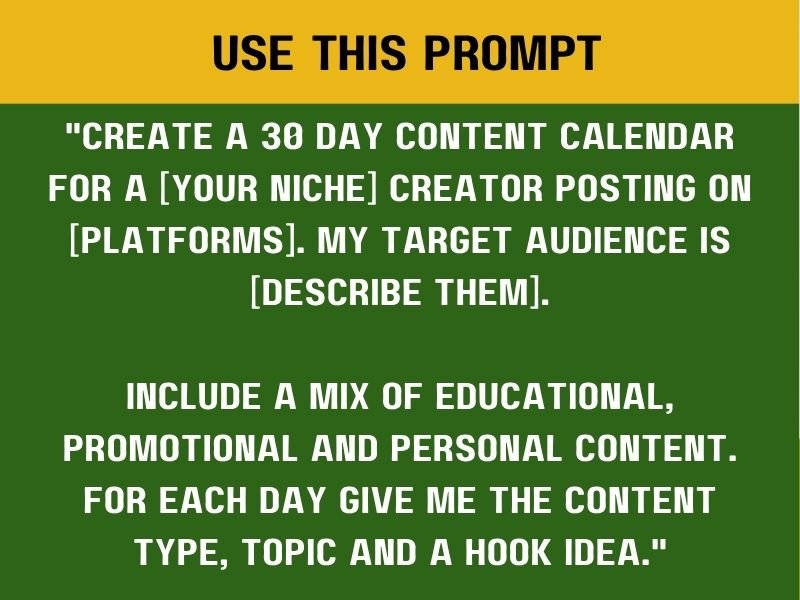
This prompt gives you structure without taking away your creativity. Start by clearly defining your audience, then tell ChatGPT what you sell, promote, or want to communicate.
You can also specify your preferred content formats, such as Reels, carousels, Stories, newsletters, or long-form posts. This helps the tool generate ideas that fit the platforms and formats you actually use.
After generating the content calendar, review every idea carefully. Remove topics that feel repetitive, add your own experiences and perspectives, and adjust the ideas to match your brand.
Finally, turn the strongest concepts into actual content. Use the AI-generated ideas as a starting point, then add your own voice to make the finished content more original and engaging.
You can also improve the production side through 7 Websites to Start Learning Video Editing for FREE. Video skills can make your content calendar much more valuable.
7. Draft Your Client Contract
A contract helps clarify expectations before work begins. ChatGPT can create a starting structure, but you should never treat its output as legal advice.
Prompt
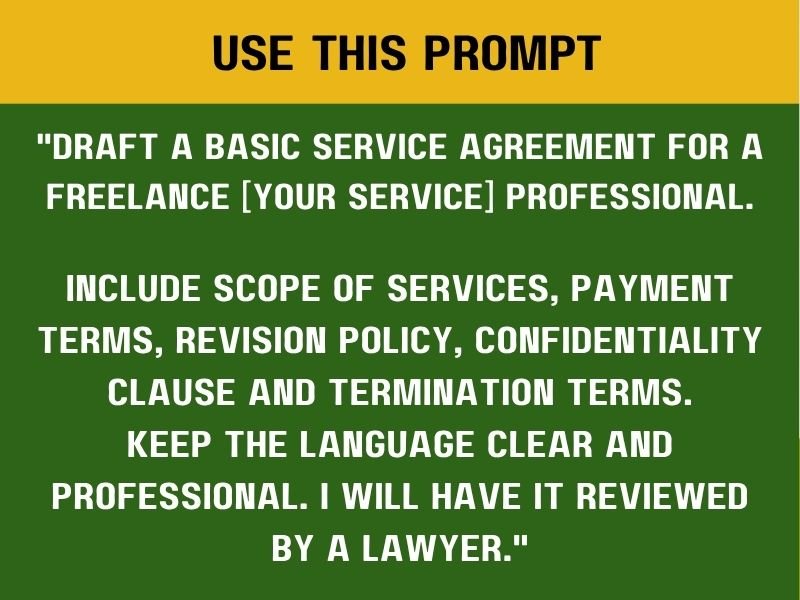
That final instruction matters because AI can help organise contract language, but legal requirements vary depending on your location and situation. A qualified lawyer should review any agreement you plan to use professionally.
Your agreement should also reflect the actual service you provide. Avoid vague terms that could lead to confusion later. Clearly define your deliverables, payment terms, revision limits, and deadlines so both parties understand what is expected.
Set clear expectations from the beginning and make sure important responsibilities are properly documented. A well-written agreement can help prevent many avoidable misunderstandings and make the working relationship easier to manage.
You can also explore broader remote-career opportunities through 5 Lucrative Remote Skills You Can Learn in 2026. Then, build systems around the service you offer.
8. Research Any Client or Industry
A client meeting becomes easier when you understand the business before the conversation begins. Research does not need to take hours. ChatGPT can help you organize the information you need to investigate.
Prompt
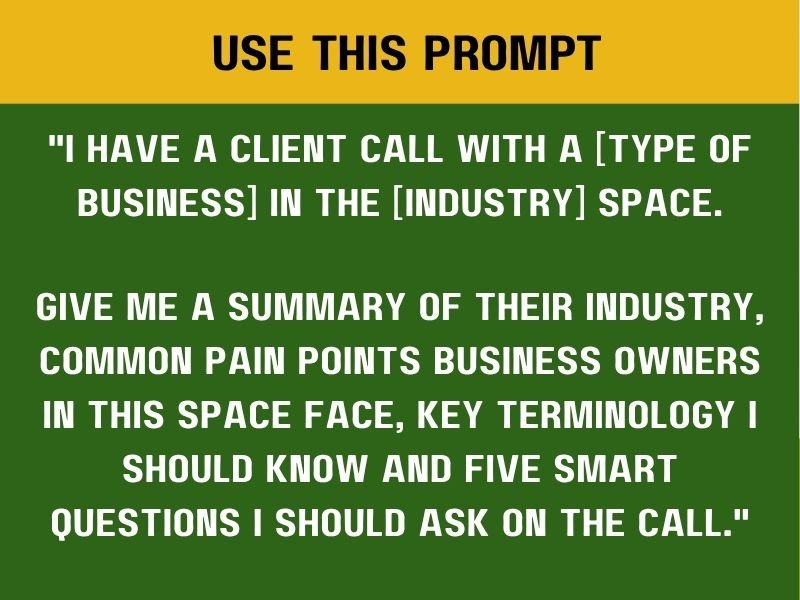
This prompt creates a useful research framework, but you should still verify important facts independently. Check the client’s website, review recent announcements, study their products or services, and look at their competitors.
Take note of anything that could help you better understand the business and its needs. Then, prepare thoughtful questions to bring to the meeting rather than relying entirely on the information generated by AI.
This preparation can help you contribute more meaningfully to the conversation and demonstrate that you understand the client’s business, industry, and goals.
You can also strengthen your research abilities with 20 FREE Resources to Learn Cybersecurity. Research skills remain useful across many digital careers.
9. Summarise Long Documents
Long documents can consume valuable hours. ChatGPT can help you quickly identify major points, action items, and deadlines.
Prompt
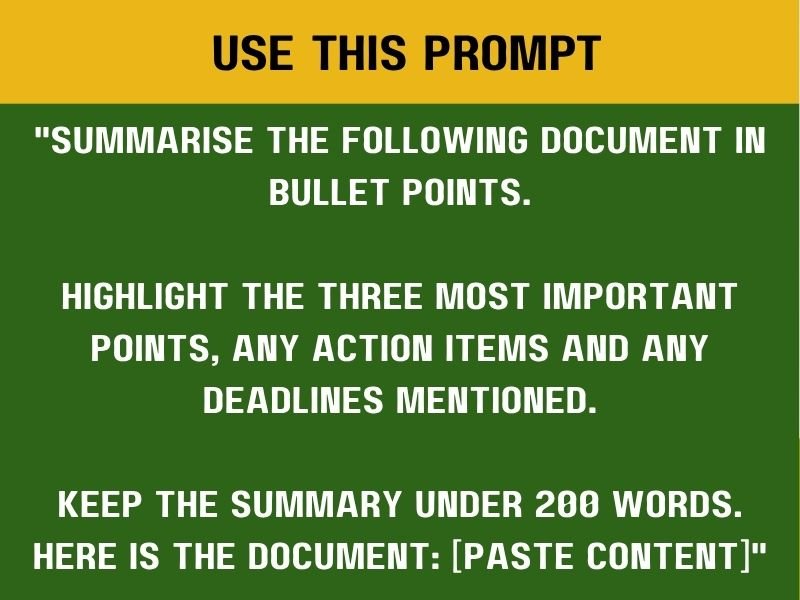
This prompt works well for meeting notes, reports, research documents, policies, and lengthy project updates. You can also request different summary formats depending on what you need.
For example, you could ask for a client-friendly version or a short executive summary. You might also request a clear list of decisions, pending actions, and important follow-ups.
However, always check important details after summarisation. AI can overlook context or misinterpret information, so verify deadlines, numbers, names, and commitments before taking action.
Good information management can make your digital workflow more organised, efficient, and easier to manage.
For more skill-building ideas, explore 9 FREE AI Tools Every Remote Worker Should Have in 2026.
10. Set Your Pricing Strategy
Pricing can feel uncomfortable when you are new to freelancing. Many beginners either charge too little or choose random prices. A structured prompt can help you think through your offer.
Prompt
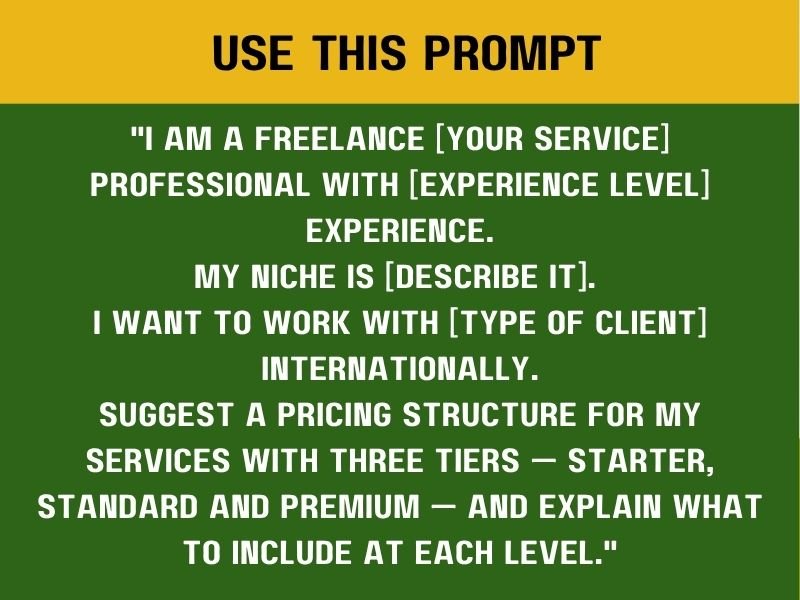
This prompt gives you a useful starting framework, but you should not treat the suggested prices as guaranteed market rates. Research your industry, compare similar offers, and consider your level of experience before setting your prices.
Then, calculate how much time each package will require so you can price your services realistically. Your packages should also have clear differences that make it easy for potential clients to understand what they receive at each level.
The premium option should provide greater value rather than simply adding more tasks. Focus on offering better outcomes, additional support, or features that genuinely improve the client’s experience.
You can improve your commercial skills through 25 FREE Platforms to Learn Skills That Pay in 2026.A better understanding of the market can lead to stronger pricing decisions.
11. Generate a Lead List Strategy
Finding clients becomes easier when you know where your ideal buyers spend time.
Instead of sending random messages, build a focused lead strategy.
Prompt
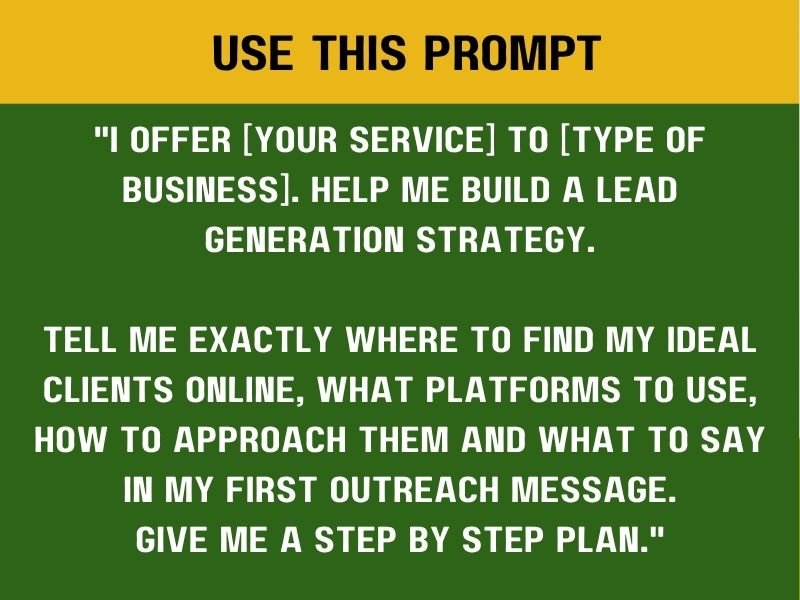
Start by describing your ideal client as specifically as possible. Mention their industry, company size, and the type of problem they are likely trying to solve.
Then, identify the result your service can provide and explain how it addresses that problem. Avoid trying to appeal to everyone because a broad audience can make your message less clear.
The more specific your target audience becomes, the easier it can be to create relevant offers and personalised outreach messages.
You can also use 8 SMART Ways to Find Clients on X (Twitter) and Get Hired FAST to explore additional client-acquisition methods.
Avoid sending identical messages to everyone. Personalize your outreach. Mention a real problem you noticed. Then, explain one useful way you can help.
12. Tailor Your CV for Any Role
Sending one generic CV to every employer can weaken your applications. A better strategy involves matching your experience to the specific position.
Prompt

This prompt helps you prioritise the information that matters most, but every claim on your CV should remain truthful. Do not allow AI to invent achievements, add software you have never used, or create qualifications you do not possess.
Instead, ask ChatGPT to reorganise your genuine experience and present it more clearly. This allows you to highlight relevant skills without misrepresenting your background.
After creating the CV, compare it with the original job description. Check whether the key requirements are reflected naturally in your experience and skills. Then, review the formatting to make sure the document is clear, consistent, and easy to read.
You can sharpen your job application process through 10 Powerful Chat GPT Prompts to Help You Rewrite Your Resume. A targeted CV can communicate relevance much faster than a generic document.
13. Create SOPs for Your Clients
Standard operating procedures can turn repetitive tasks into organized systems. Clients often need clear documentation for recurring work. ChatGPT can help you create the first draft.
Prompt
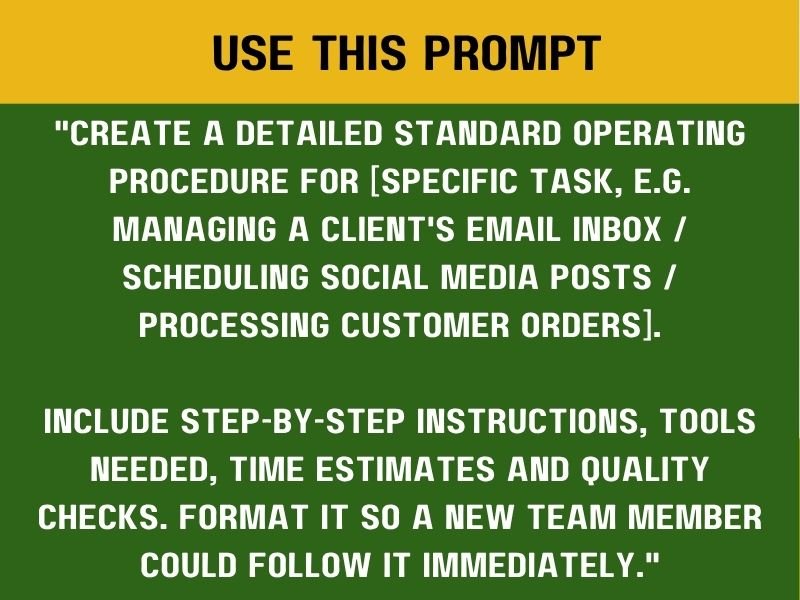
This prompt works particularly well for virtual assistants and operations professionals. Start with one repetitive task and document the workflow from beginning to end.
List the tools involved, explain each step clearly, and include quality checks where necessary. A well-structured SOP can reduce errors, make delegation easier, and help ensure that recurring tasks are completed consistently.
You can also turn this skill into part of your service. For example, you could help small businesses document their recurring workflows and create clear SOPs that their teams can follow. This creates another potential service offer while helping businesses organise their operations more effectively.
You can support this type of work with 10 Websites to Start Learning Graphic Designs for FREE when your SOPs need polished visuals or process diagrams.
14. Handle Difficult Client Situations
Client communication can become uncomfortable sometimes. Perhaps a client changes the scope repeatedly. Maybe they delay payment. Another situation could involve unrealistic deadlines. ChatGPT can help you prepare different responses.
Prompt
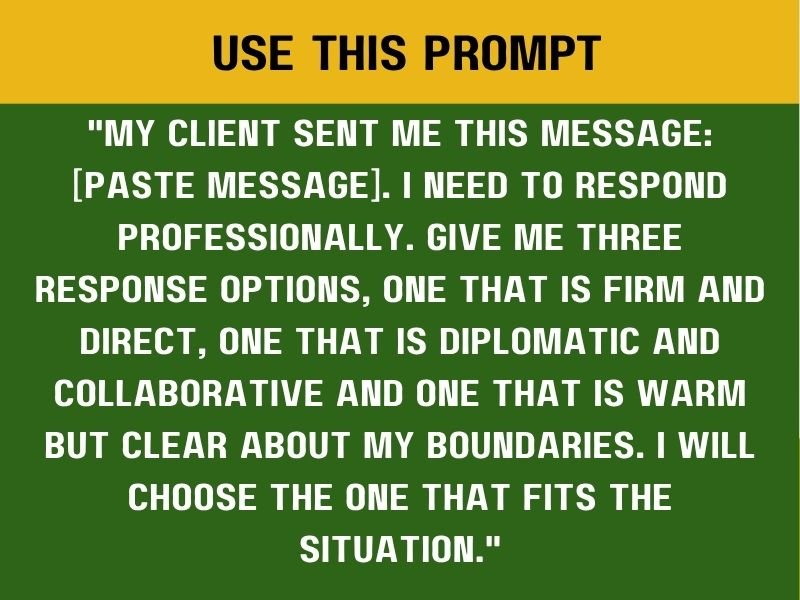
This prompt gives you options instead of a single generic response. Read each version carefully, choose the one that best matches your relationship with the client and the situation, and then personalise the wording before sending it.
Your goal is to protect the professional relationship without sacrificing your boundaries. Before discussing disputed work, make sure you understand your contract and what both parties agreed to. Clear documentation can also strengthen your position if questions arise about the work, payment, or agreed responsibilities.
Strong professional communication is not only useful when problems occur. It can also help you manage client relationships more effectively and support your long-term digital career.
Read this later: How to Write Your Cover Letter Using ChatGPT
15. Learn Any Tool Faster
Learning a new platform can feel overwhelming. You may encounter unfamiliar menus, technical language, and confusing workflows. ChatGPT can simplify the process.
Prompt
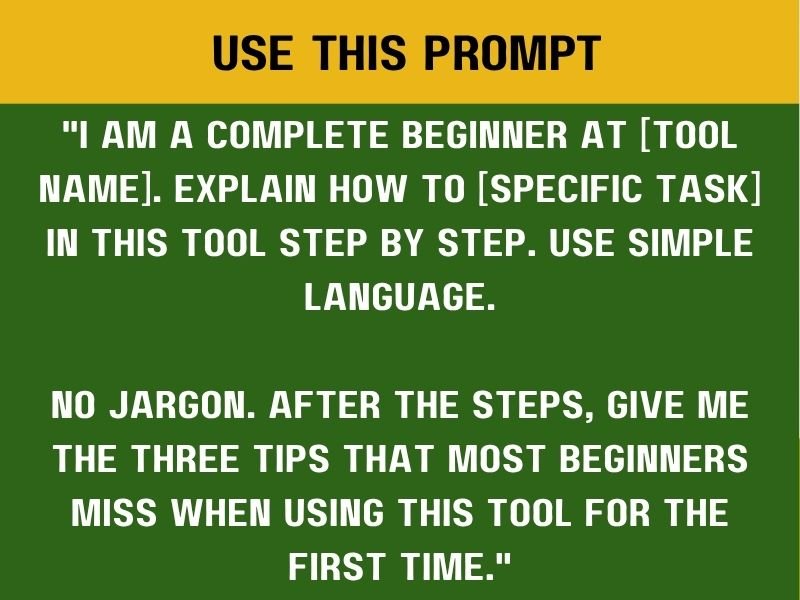
This prompt works because it focuses on one task at a time. Instead of asking ChatGPT to explain an entire software platform, choose one specific action and learn it step by step.
For example, start by learning how to create a project in Asana. Then, move on to assigning tasks and setting deadlines. Breaking the process into smaller actions can make learning less overwhelming and easier to practise.
You can also support your digital development with 10 FREE AI Courses With Certificates You Should Take Today. Developing a strong tool-learning habit can help you adapt as technology continues to change.
How to Get Better Results From These Prompts
Copying a prompt alone will not guarantee an excellent response. The quality of your input also matters, so give ChatGPT enough context to understand what you actually need.
Mention your experience, explain your target audience, describe the project, include the relevant job description, specify your preferred tone, and set a clear word count when necessary. Then, review the result before using it.
For example, instead of simply saying, “Write my proposal,” explain the client’s problem, mention your relevant experience, list the required deliverables, and specify the tone you want. That additional context can make the output more useful and relevant.
Give ChatGPT Real Information
AI cannot know your actual experience unless you provide it. Therefore, include relevant details in the conversation and give the tool enough information to work with.
Share your work history, mention the tools you use, describe your achievements, identify your target role, and explain your audience. Then, ask ChatGPT to organise the information into a clearer format.
Never use AI as a reason to exaggerate your credentials. Your experience, qualifications, and achievements should remain accurate. Authenticity is still important, especially when building a professional reputation.
Use ChatGPT as a Starting Point
The first response should rarely become your final answer without review. Read through the output, remove unnecessary phrases, add your own examples, correct inaccurate information, and replace generic language.
Then, adjust the final version so it sounds like you. The strongest results usually come from directing the tool and applying your own judgement rather than simply copying what it produces.
Turn These Prompts Into Repeatable Systems
You can save your favourite prompts and organise them into folders based on their purpose. Create separate groups for job applications, client communication, content planning, research, and productivity.
This system can reduce repeated work and make it easier to find the right prompt when you need it. You can also improve your digital workflow by exploring 9 FREE AI Tools Every Remote Worker Should Have in 2026.
The goal is to create a repeatable process rather than rely on random AI conversations every time you need help.
Use AI Alongside Valuable Human Skills
AI can make many digital tasks faster, but businesses still need people who can think critically and make good decisions. Communication, problem-solving, creativity, research judgement, and relationship management all remain valuable.
These abilities become even more important as AI takes over more repetitive tasks. You can explore 10 Skills AI Can’t Replace That You Should Be Learning to develop the human side of your career.
Then, combine those abilities with the prompts in this guide. That combination can help you work more efficiently while still bringing your own judgement and expertise to the process.
Final Thoughts
These 15 ChatGPT prompts can support different parts of a digital career. One can help you write a stronger Upwork proposal, while another can help you create a portfolio without waiting for a client.
You can improve your LinkedIn profile, prepare for interviews, write client emails, structure content calendars, and conduct research more efficiently. Other prompts can help you summarise long documents, think through pricing, generate leads, tailor your CV, create SOPs, handle difficult conversations, and learn unfamiliar software.
The key is to take action. Choose one prompt today, paste it into ChatGPT, and replace the placeholders with your real information. Then, review the response carefully before using it.
You do not need to master every prompt at once. Start with the problem that is taking the most time in your digital career and solve that problem first.
Then, move on to the next one. Over time, this approach can help you turn AI from a simple chatbot into a practical tool for building and managing your digital career.