

10 APPS that teach tech skills for FREE
Disclosure: Some of the links in this post are affiliate links. This means if you click on the link and purchase an item, I will receive an affiliate commission at no extra cost to you.
Technology keeps changing, and so do the skills companies look for. Every year, more people decide to learn coding, cybersecurity, data analysis, cloud computing, UI design, and other digital skills because they open the door to remote jobs, freelance work, and better career opportunities. The good news is that you no longer need a laptop to begin.
If you have some free time, a phone, and mobile data, these APPS that teach tech skills for FREE can help you start learning right from your pocket. You can practice while commuting, during your lunch break, or even while relaxing at home. A few minutes each day quickly add up, especially when you’re learning consistently.
What makes this list different is that it doesn’t focus on the same crowded apps that appear in almost every recommendation. Instead, you’ll discover several lesser-known platforms that deserve far more attention because they emphasize real practice, interactive learning, and hands-on experience instead of endless videos.
Some of these apps teach you by letting you write real code. Others help you solve programming challenges, build projects, or understand how professional developers think through problems. That practical approach makes learning much more enjoyable and helps new skills stay with you longer.
If you’re serious about building a future in tech, spending time on the right learning platforms can make a huge difference. You may also enjoy 5 Lucrative Remote Skills You Can Learn in 2026, where I share other in-demand skills that continue to create opportunities for remote work and freelancing.
In this guide, I’ll walk you through 10 APPS that teach tech skills for FREE, explain what each one does best, and show you why they’re worth downloading if you’re ready to start learning today.
What Makes a Good Tech Learning App?
Not every learning app teaches in the same way. Some rely mostly on videos. Others encourage you to write code from your very first lesson. The strongest apps usually combine short explanations with practical exercises. That way, you immediately apply what you’ve learned.
When choosing APPS That Teach Tech Skills for FREE, I look for platforms that make learning interactive instead of overwhelming. Pin this guide: 6 FREE Websites that gets you hired FAST
Here are a few things worth looking for:
- Beginner-friendly lessons.
- Real coding practice.
- Hands-on projects.
- Progress tracking.
- Clear explanations.
- Active learning communities.
Those features help you stay motivated while building practical skills.
10 APPS That Teach Tech Skills for FREE
1. Enki
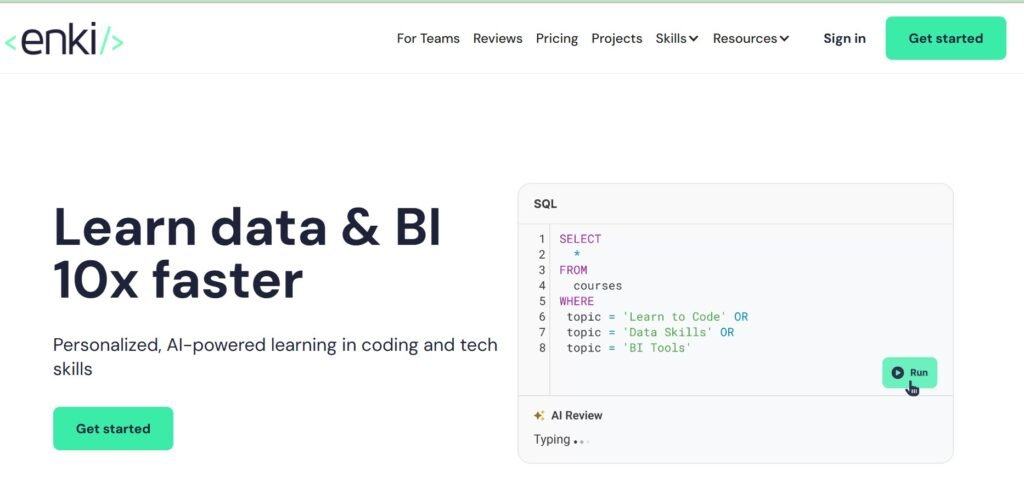
One of the biggest reasons people give up learning tech is that they try to learn too much at once. They watch hours of videos, jump between different programming languages, and quickly feel overwhelmed. Enki takes a completely different approach.
Instead of asking you to spend several hours studying, it encourages you to learn one small concept every day. Think of it as reading one page of a book instead of trying to finish the whole chapter in one sitting. That makes learning feel much more manageable.
Enki teaches topics like programming, Python, SQL, data, and logical thinking. Those are all valuable skills that appear in many technology careers, from software development to data analysis. I also like that the app focuses on consistency instead of speed.
Many people believe they need long study sessions to make progress. In reality, twenty minutes every day often produces better results than studying for four hours once a month. If you have a busy schedule or struggle to stay focused for long periods, Enki helps you build a learning habit that actually lasts.
If you’re looking for APPS That Teach Tech Skills for FREE, Enki is one of the easiest places to build a strong foundation. Bookmark this: 9 FREE AI tools every remote worker should have in 2026
2. Mimo
If Enki focuses on daily habits, Mimo focuses on making learning enjoyable. The easiest way to describe it is exactly how it puts it. Think of it as Duolingo for tech skills.
Everything feels simple. Lessons are broken into small pieces that are easy to complete, even if you only have a few spare minutes. That makes the app ideal for learning while commuting, waiting in line, or relaxing after work.
One thing I really like about Mimo is that it removes the fear many beginners have. Programming often looks complicated from the outside. Mimo changes that by introducing one concept at a time.
You never feel like you’re being flooded with information. Instead, each lesson builds naturally on the one before it. Bookmark this: 9 Websites that teach you EXCEL courses for FREE
As your confidence grows, the exercises become slightly more challenging, helping you improve without feeling discouraged. The app covers coding and several core tech concepts using interactive exercises instead of long lectures.
That practical style helps you remember what you’ve learned because you’re actively participating instead of simply watching videos. For complete beginners, that makes a huge difference. Among all the APPS That Teach Tech Skills for FREE, Mimo remains one of the most beginner-friendly options available.
3. Programming Hero
Some people enjoy learning through games. If that sounds like you, Programming Hero deserves a place on your phone. Instead of feeling like a traditional classroom, the app teaches coding through real examples, interactive challenges, and fun activities that keep you engaged.
It feels like a game. But you’re learning real skills. That balance makes it especially useful for people who lose interest quickly when lessons become too technical.
Programming Hero turns coding into something you want to keep coming back to. Rather than memorizing commands, you solve problems and apply concepts immediately. Come back to this: 8 Powerful AI Prompts you can use for job search
You’ll also work through coding challenges that encourage logical thinking instead of simply copying someone else’s solution. Those challenges prepare you for real programming work because developers solve problems every day.
The app also explains concepts using simple language, making it much less intimidating than many traditional programming courses. As you complete more lessons, you’ll begin understanding not only how code works but also why programmers write it the way they do.
If staying motivated has been difficult, Programming Hero is one of the APPS That Teach Tech Skills for FREE that keeps learning interesting from start to finish.
4. Grasshopper
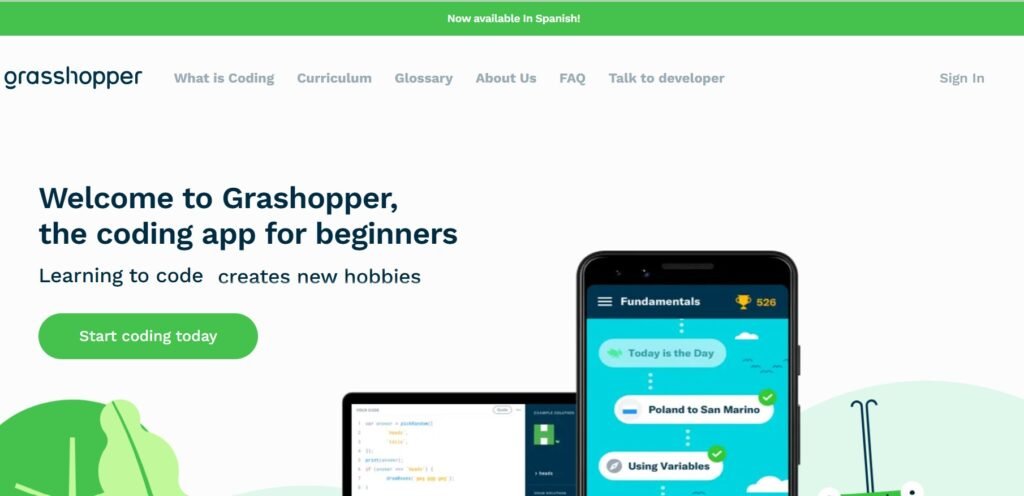
Many beginners want to learn JavaScript because it powers so much of the modern internet. The problem is that JavaScript often looks confusing at first. Grasshopper was designed to change that.
Created by Google, the app introduces JavaScript and coding logic using simple lessons that gradually increase in difficulty. I like that it doesn’t assume you already know programming. Instead, it starts with the basics and builds your confidence step by step.
If coding has ever felt scary, Grasshopper makes it feel much more approachable. The exercises are interactive, so you’re constantly applying what you’ve learned instead of simply reading about it. Variables, functions, loops, and conditions stop looking confusing because you’ve practiced them repeatedly.
Grasshopper also keeps lessons short enough to complete during small breaks throughout your day. That makes it another excellent choice for mobile learning. Since JavaScript remains one of the most in-demand programming languages, learning it early opens doors to web development, app development, and many other technology careers.
For anyone searching for APPS That Teach Tech Skills for FREE, Grasshopper proves that learning to code doesn’t have to feel overwhelming.
Take a look at this: 9 Websites that teach you EXCEL courses for FREE
5. DataCamp (Free Sections)
Many people assume DataCamp is only useful if you’re willing to pay for a subscription. That’s not completely true. While the platform offers premium courses, it also includes free beginner lessons that are more than enough to help you decide if data is a field you enjoy.
If you’ve ever been curious about data analytics, data science, or Python, DataCamp gives you a gentle introduction without overwhelming you with technical language. One thing I appreciate about DataCamp is how practical the lessons feel. Instead of reading pages of theory, you interact with the lesson as you go.
The platform asks you to complete small exercises, test your understanding, and immediately apply new concepts. That makes learning much easier. Data can feel intimidating. Charts, statistics, and programming languages often look complicated from the outside.
DataCamp breaks those topics into manageable lessons that help you understand one concept before moving to the next. If you eventually decide to become a data analyst or data scientist, you’ll already have a solid foundation. Read this: 7 Websites to start learning video editing for FREE
Even if data doesn’t become your career, understanding spreadsheets, data, and simple analysis can improve many other jobs. Learning how to work with information has become valuable across almost every industry. Among the APPS That Teach Tech Skills for FREE, DataCamp is one of the strongest choices for anyone curious about working with data.
6. Brilliant
Some learning platforms focus on helping you memorize information. Brilliant takes a completely different approach. Instead of asking you to remember facts, it teaches you how to think.
That may sound like a small difference, but it completely changes the way you learn. Brilliant focuses on logic, problem-solving, and tech-related thinking. Those skills matter because technology is built on solving problems.
Professional developers rarely succeed because they’ve memorized thousands of commands. They succeed because they know how to break complicated problems into smaller, manageable pieces. That’s exactly what Brilliant helps you practice.
The lessons feel more like solving puzzles than attending a lecture. As you work through each activity, you’re encouraged to think before choosing an answer. You’ll want to see this: 20 FREE resources to learn Cybersecurity
That keeps your brain active throughout the learning process. I also like that Brilliant helps you understand how technology works instead of simply teaching programming syntax. That deeper understanding becomes useful no matter which area of tech you eventually choose.
Whether you become a software developer, cybersecurity analyst, data scientist, or cloud engineer, logical thinking remains one of your most valuable skills. If you’re searching for APPS That Teach Tech Skills for FREE, Brilliant helps you develop one skill every successful tech professional needs.
7. Skillshare (Mobile App With Free Trial)
Most people know Skillshare as a platform for creative courses. What many people don’t realize is that it also offers thousands of technology classes covering programming, web development, UI/UX design, artificial intelligence, productivity, cloud computing, and many other digital skills.
Many people sign up for the free trial but never use it properly. Instead of jumping between dozens of unrelated classes, focus on learning one skill during your trial period. That simple strategy helps you make real progress before your free access ends.
Skillshare is also different because many instructors teach through projects instead of lectures. You’re encouraged to build something while learning. That hands-on approach helps information stay with you much longer.
Another advantage is the quality of the instructors. Many of them work professionally in the industries they’re teaching, so they often share practical advice that goes beyond technical lessons. If you’re disciplined enough to stay focused, the free trial gives you enough time to learn valuable skills and decide whether you want to continue. Although it isn’t completely free forever, it still deserves a place among these APPS That Teach Tech Skills for FREE because the trial gives motivated learners plenty of value.
Unlock more tips here: 10 Skills AI Can’t Replace That You Should Be Learning
8. LearnGitBranching
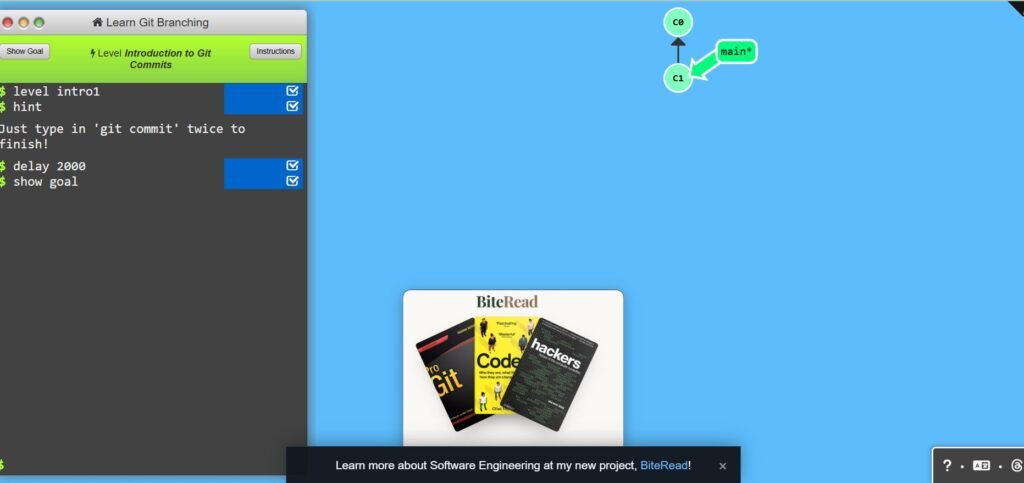
Git is one of those tools almost every developer eventually needs. Unfortunately, it’s also one of the topics that scares beginners the most. Words like branches, commits, merges, and repositories can sound confusing when you’re just starting your tech journey.
That’s exactly why LearnGitBranching stands out. Instead of explaining Git through long articles, it teaches everything visually. You actually see how branches move, connect, and change as you complete different exercises.
This platform is very niche, but incredibly powerful. If Git has ever felt confusing, this app helps everything begin to make sense. I like that it turns an abstract topic into something you can actually see.
That visual approach makes difficult concepts much easier to understand than simply reading documentation. Git is one of the most requested skills for software developers because it’s used for version control and team collaboration. Learning it early gives you an advantage when you eventually start working on projects with other people.
Try this next: 100 Hobbies That Will Turn Your Time Into Money
Among all the APPS That Teach Tech Skills for FREE, LearnGitBranching is one of the most unique because it teaches a topic many beginners avoid but every developer eventually needs.
9. Exercism
Reading lessons and watching tutorials can only take you so far. At some point, you have to start solving problems on your own. That’s where Exercism comes in.
Instead of asking you to sit through hours of videos, Exercism encourages you to learn by doing. The platform gives you real programming exercises, then challenges you to solve them using your own thinking.
That practical approach builds confidence much faster than simply watching someone else write code. You learn by solving real problems and getting feedback. That feedback is one of Exercism’s biggest strengths.
Rather than telling you whether your answer is right or wrong, it helps you understand how your solution can improve. You begin thinking like a programmer instead of someone trying to memorize syntax. As you complete more exercises, you’ll notice that problems which once seemed difficult become much easier to solve. That growth happens because you’re actively using your knowledge instead of simply collecting information.
Don’t miss this guide: 25 FREE Platforms To Learn Skills That Pay In 2026
Another thing I like about Exercism is the wide variety of programming languages available. If you decide to switch from Python to JavaScript or another language later, you can continue learning without changing platforms. If you’re serious about improving your coding skills, this is one of the best APPS That Teach Tech Skills for FREE because it prepares you for the type of thinking real developers use every day.
10. Solo Project Apps (CodeSnack and Replit Mobile)
CodeSnack and Replit Mobile do exactly the app for you. Instead of only completing lessons, these apps allow you to write code, test ideas, experiment, and see what happens.
Sometimes your code works. Sometimes it breaks. Believe it or not, both experiences help you grow. Write code. Test ideas. Break things. Learning sticks faster when your hands are involved. I couldn’t agree more.
One of the biggest mistakes beginners make is spending months watching tutorials without creating anything themselves. Then, when it’s time to build a real project, they don’t know where to begin. Apps like CodeSnack and Replit Mobile help solve that problem.
You can experiment freely without worrying about making mistakes. Every project teaches you something new. As your confidence grows, you’ll begin creating calculators, simple websites, automation scripts, and many other small applications.
Those projects eventually become part of your portfolio. That portfolio becomes valuable when applying for jobs or freelance work because employers want to see what you can actually build. If you’re looking for APPS That Teach Tech Skills for FREE, don’t stop at learning.
Continue your journey here: 10 Things You Must Do Immediately After Applying For a Job (to avoid rejection)
Which App Should You Download First?
After reading this list, you might feel tempted to install every app today. You really don’t need to. In fact, doing that may slow you down.
Instead, choose one app based on what you want to learn. If you’re completely new to programming, Enki or Mimo are excellent starting points because they make learning feel simple and approachable.
If you enjoy solving challenges, Programming Hero and Exercism give you plenty of opportunities to practice. If data interests you, DataCamp offers an easy introduction without making the subject feel overwhelming.
If you want stronger logical thinking, Brilliant is an excellent choice. Future software developers should also spend time learning Git with LearnGitBranching because version control quickly becomes part of everyday development.
The important thing isn’t finding the perfect app. It’s sticking with one long enough to make real progress.
Final Thoughts
Learning technology has never been more accessible than it is today. With nothing more than a smartphone and the willingness to practice consistently, you can begin building skills that lead to freelance work, remote careers, or even your own personal projects.
The best part about these APPS That Teach Tech Skills for FREE is that they don’t all teach the same way. Some focus on daily habits, others challenge you with real coding problems, while a few encourage you to build projects from the very beginning. That variety makes it easier to find a learning style that keeps you motivated.
Remember, downloading ten apps won’t make you a developer. Using one app consistently will. Choose the platform that matches your goals, complete the lessons, build small projects, and keep practicing even when progress feels slow.
Every experienced developer started exactly where you are now—by learning one concept at a time. Once you’ve built a solid foundation, the next step is turning those new skills into real opportunities. 8 SMART Ways to Find Clients on X (Twitter) and Get Hired FAST can help you learn how to showcase your abilities, connect with potential clients, and start finding paid work online.







21 Comments