
5 Fixes Your LinkedIn Profile Needs NOW to Attract Recruiters
Disclosure: Some of the links in this post are affiliate links. This means if you click on the link and purchase an item, I will receive an affiliate commission at no extra cost to you.
Your LinkedIn profile might look complete, yet recruiters may still scroll past it. A profile can have your job title, work history, and skills without clearly showing your value. That difference matters, especially when companies search for candidates before posting opportunities publicly. Your profile needs to answer an important question quickly: why should someone contact you?
The fixes your LinkedIn profile needs should focus on clarity, positioning, proof, relevant keywords, and a strong first impression. Start with your headline because your job title alone rarely tells the full story. Then, strengthen your About section so visitors understand who you help, what you do, and the results you create. Next, review your experience section and replace duty-heavy descriptions with measurable achievements. Your skills should also match the roles you want because recruiters often search by specific capabilities. Finally, use your Featured section to showcase your best work, portfolio, resume, recommendations, or other proof.
You do not need to become a daily LinkedIn poster to attract attention. Instead, make your profile easier to understand and easier to trust. Furthermore, every section should support the same professional direction. A strong profile can help you appear in searches, create better first impressions, and encourage recruiters to explore your experience.
Before making these changes, you can also improve your broader remote-work positioning with 5 Lucrative Remote Skills You Can Learn in 2026. Then, use these five fixes to turn your LinkedIn profile into a page that clearly communicates what you offer.
5 Fixes Your LinkedIn Profile Needs NOW to Attract Recruiters
Most professionals have a LinkedIn profile, yet many profiles fail to create opportunities. A polished profile can still stay invisible when it lacks clear positioning, useful keywords, strong proof, or a compelling message. Recruiters often move quickly through profiles, so clarity matters from the first few seconds.
The good news? You do not need to rebuild your entire career to improve your profile. Instead, focus on five strategic areas that can change how recruiters understand your professional value. These fixes your LinkedIn profile needs can help your profile communicate your strengths more clearly while supporting the remote roles you want.
Your headline needs stronger positioning. the About section needs sharper messaging. Your experience needs measurable outcomes and the skills need better alignment. Finally, your Featured section needs proof.
Open this: 9 Places People Can Find Remote Clients Immediately (That Nobody Is Talking About)
Let’s break down exactly what to change.
1. Fix Your LinkedIn Headline
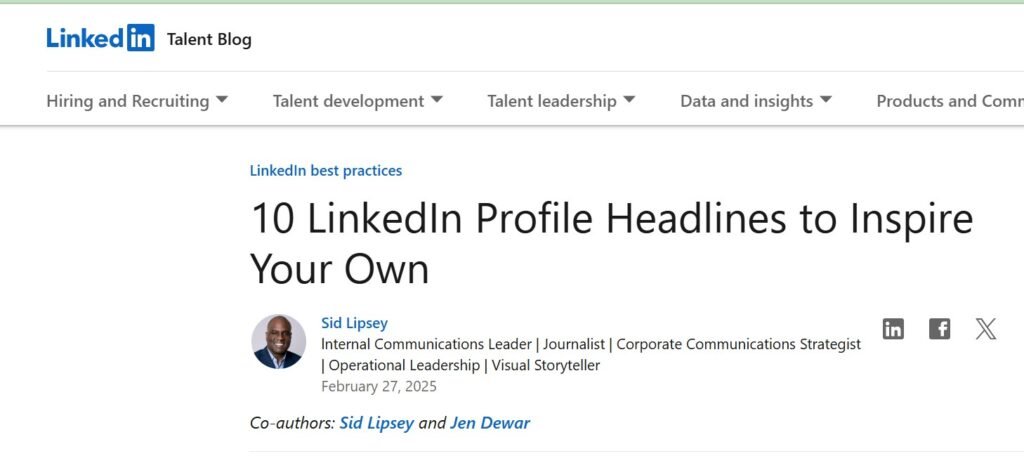
Your headline appears near your name, so recruiters can notice it quickly. Many people simply enter their current job title, such as “Accountant,” “Graphic Designer,” or “Virtual Assistant.”
These labels identify your role, but they do not explain your value. A stronger headline tells people what you do, who you help, and the tools or skills you use.
Consider this example:
Weak headline:
“Graphic Designer”
That headline leaves several questions unanswered. What do you design? Who hires you? Which tools do you use? What kind of results can clients expect?
Now compare it with this:
Strong headline:
“Graphic Designer | Creating Branded Visuals for Small Businesses and Startups | Canva | Figma”
The second version gives recruiters more context. It also creates space for relevant keywords.
Use This Simple Headline Formula
What you do + who you help + key tools or skills
For example:
“Virtual Assistant | Helping Coaches Organize Operations and Client Tasks | Notion | Asana | Google Workspace”
Another option could read:
“Content Writer | Helping SaaS Brands Turn Complex Ideas Into Clear Content | SEO | Research | WordPress”
The goal is clarity rather than exaggeration. Your headline should help someone understand your professional direction before they click into your profile.
LinkedIn also works like a search platform. Recruiters may search for phrases connected to specific roles. Therefore, relevant keywords can increase your chances of appearing in useful searches. You can strengthen your remote career strategy with 5 Lucrative Remote Skills You Can Learn in 2026. Then, use those skills to shape a headline that sounds specific rather than generic.
Avoid Stuffing Your Headline With Keywords
Adding every skill you know will not automatically improve your visibility. A crowded headline can confuse recruiters.
Choose the skills that directly support the roles you want. Suppose you want virtual assistant positions. You could mention calendar management, email management, project coordination, Notion, or Google Workspace.
Do not add unrelated skills simply because LinkedIn allows them. Your headline should communicate one clear professional direction.
2. Rewrite Your About Section
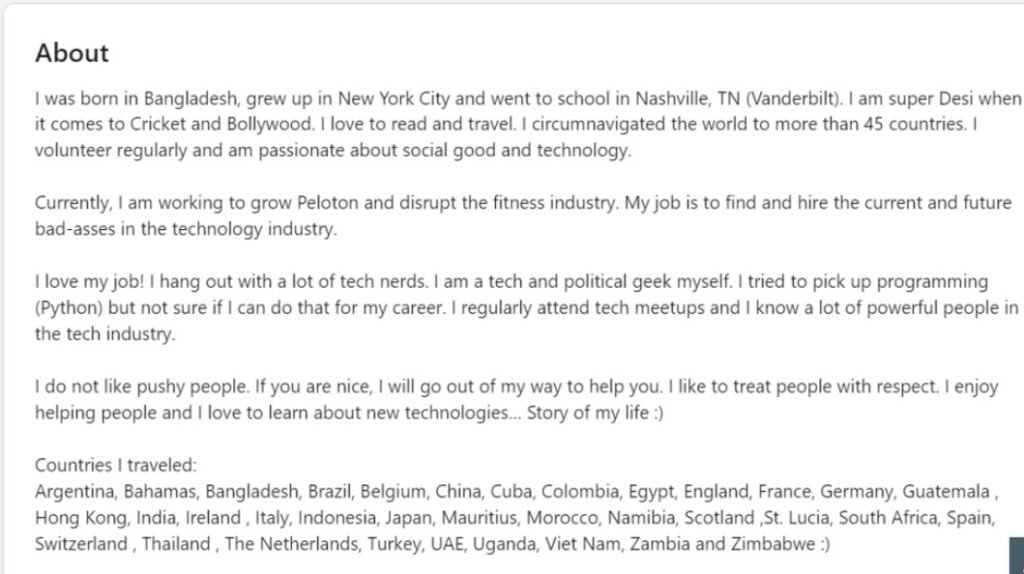
Your About section gives you more room to explain your professional value. Unfortunately, many people waste that space by opening with generic statements such as “I am passionate about my work” or “I am a hardworking professional.”
Those statements may sound pleasant, but they rarely tell recruiters anything memorable. Instead, treat your About section like a short professional pitch. You want the reader to understand your role, audience, value, and strengths quickly.
Use a Six-Line Structure
Line 1: Who you are and what you do.
Lines 2–3: Who you help and the results you create.
Lines 4–5: What makes you different.
Line 6: A clear call to action.
Here is an example:
“I’m a virtual assistant who helps online businesses stay organised and responsive. I manage inboxes, calendars, client communication, and recurring administrative tasks.
My focus is on reducing operational chaos and helping founders protect their time. I work confidently with Google Workspace, Notion, Asana, and ClickUp. I combine organisation with clear communication and dependable follow-through.
Open to remote operations and virtual assistance opportunities.” Notice the difference. The paragraph does not tell your entire life story. Instead, it communicates a useful professional message.
Make Your About Section Easy to Scan
Recruiters may not read every word. Therefore, avoid giant blocks of text. Use short paragraphs and highlight important skills naturally.
Include relevant tools and mention outcomes where you can prove them. You can also use 8 Powerful AI Prompts You Can Use for Job Search to brainstorm stronger positioning ideas. However, keep your final wording personal. Your LinkedIn profile should sound like you.
End With a Simple Call to Action
Your final line should make the next step obvious. You could write: “Open to remote customer support opportunities.” “Available for freelance content projects.” “Currently exploring remote operations roles.” That small addition gives recruiters clear direction.
3. Turn Your Experience Into Results
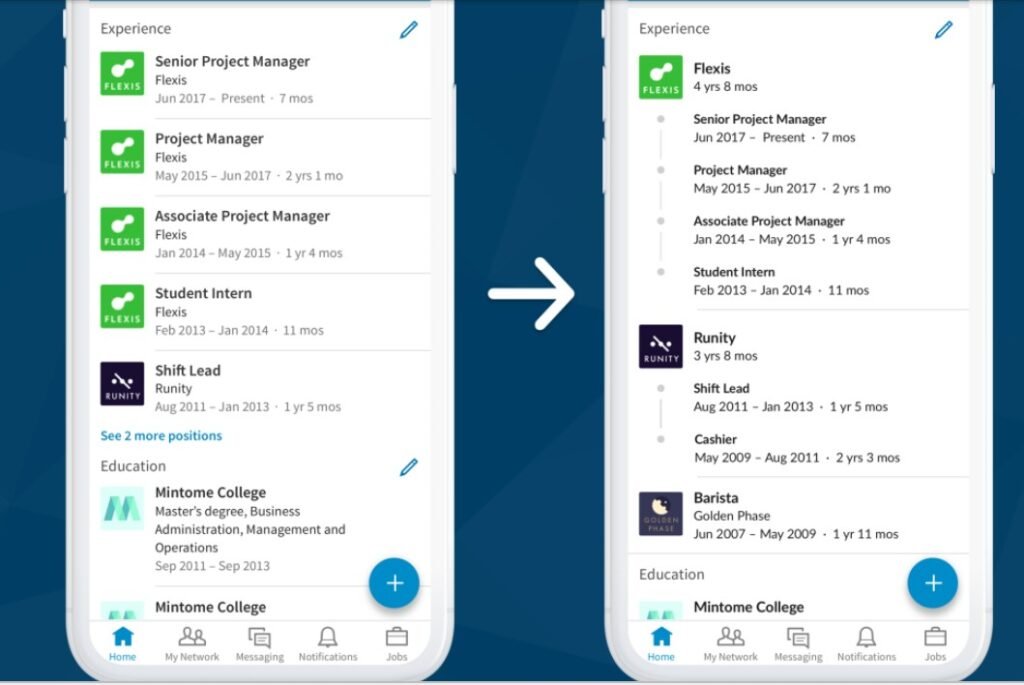
This section can make one of the biggest differences on your LinkedIn profile. Many people focus on describing their responsibilities instead of showing the results they achieved.
Consider this example:
Weak experience entry:
“Responsible for managing social media accounts and creating content for the brand.” The sentence explains the tasks, but it does not show the impact of the work.
Now consider a stronger version:
Strong experience entry:
“Managed Instagram and Facebook for a fashion brand, growing combined followers from 1,200 to 14,000 in eight months through consistent content and engagement strategy.”
This version gives recruiters something tangible. They can see what you did, how you did it, and the result that followed.
Use This Formula
A simple formula can help you write stronger experience entries:
Action word + what you did + measurable result
Start with clear action words such as:
Led
Managed
Improved
Designed
Implemented
Coordinated
Developed
Created
Optimised
Organised
Then connect the action to a specific outcome.
For example:
“Coordinated weekly client meetings and reduced scheduling conflicts by 40 percent.”
“Created email campaigns that generated 25 percent more inquiries.”
“Organised digital records across five departments and reduced document search time.”
Use genuine numbers whenever possible. Do not invent metrics or exaggerate your achievements just to make your profile sound impressive.
If you do not have exact percentages, use other measurable details. You can mention the number of clients, projects, campaigns, users, reports, or processes you handled.
Your Experience Section Should Support Your Target Role
Your experience section should also support the type of role you want to secure. For example, imagine you are targeting a remote project coordinator position. Your experience should highlight planning, deadlines, communication, scheduling, and task tracking. A description that focuses entirely on unrelated duties can weaken your positioning.
You can also use 25 FREE Platforms to Learn Skills That Pay in 2026 to identify skills that complement your existing experience. Then, connect those skills to actual tasks and measurable results from your work.
Do Not Hide Transferable Experience
You do not need a previous job title that perfectly matches your target role. Freelance projects can demonstrate useful experience. Volunteer work can also show relevant abilities, while school and side projects may provide evidence of practical skills.
For example, a teacher may have managed schedules, coordinated activities, tracked performance, and communicated with families. These experiences can support applications for project coordination or administrative roles.
Similarly, an administrative assistant may have organised records and managed communication. Those abilities can support roles in operations or virtual assistance. Your task is to make that connection clear to the person reviewing your profile.
4. Fix Your LinkedIn Skills Section
LinkedIn allows you to list many different skills. However, filling the section randomly can weaken your professional positioning.
Think of your skills section as another search signal. Recruiters may search for specific skills when looking for candidates for particular roles. Therefore, the skills you list should reflect the opportunities you want to pursue.
Build a Targeted Skills List
Suppose you want virtual assistant positions. Your skills section could include:
Calendar Management
Email Management
Project Coordination
Notion
Trello
Asana
Google Workspace
Data Entry
Customer Communication
Remote Collaboration
Time Management
Administrative Support
This type of list creates a clear professional direction. You should also include soft skills when they genuinely support your target role. Communication, organisation, and problem-solving can all be useful, depending on the position.\ However, hard skills and specific tools can often provide stronger keyword signals for recruiters searching for candidates.
Study Job Descriptions
Job descriptions can reveal the skills employers frequently look for in a particular role. Read several listings for the same type of position and look for terminology that appears repeatedly. Then, use accurate versions of those terms in your profile when they genuinely reflect your experience.
Do not copy entire job descriptions into your profile. Instead, identify the skills that match your background and describe them naturally.
You can also strengthen relevant technical abilities through 9 Websites That Teach You EXCEL Courses for FREE. Excel can support administrative work, data management, reporting, and operations. Adding relevant technical skills can therefore make your profile more aligned with certain remote roles.
Keep Your Skills Consistent
Your LinkedIn profile should tell one clear professional story. For example, a profile targeting virtual assistant jobs should not have a headline focused on graphic design while the skills section focuses mainly on customer support.
That kind of inconsistency can make it harder for recruiters to understand your professional direction. Keep your headline, About section, experience, and skills aligned with the roles you want. When the different sections support the same message, your profile becomes easier to understand and more focused.
5. Use Your Featured Section as Your Storefront
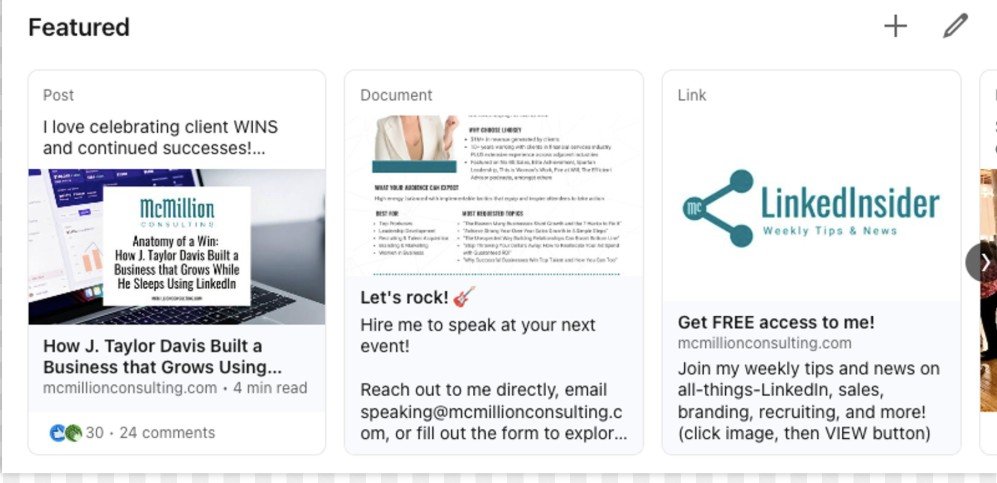
The Featured section remains one of the most useful places to showcase proof of your work, yet many people leave it completely empty. That creates a missed opportunity because the section sits near the top of your profile, allowing recruiters to see your strongest work quickly. You should therefore use this space intentionally.
What Should You Add?
You can feature a portfolio, Google Drive folder, or Notion portfolio. A recommendation screenshot can also create social proof. The important factor is evidence. Your profile tells recruiters what you can do, while your Featured section should help prove it. Read this: How to Make Your Current Skill More Valuable and Make Money (without learning a new one).
Build a Simple Portfolio
You do not need a complicated website to create a useful portfolio. Start with a clean document and create sections for your services or professional strengths. Add three to five strong examples, explain the problem behind each project, describe your approach, and finally show the result.
For example, a social media specialist could showcase a content calendar, sample branded graphics, a campaign strategy, and performance results. A customer support specialist could include sample response templates, a support workflow, a customer communication guide, and a mock ticket-resolution process. A virtual assistant could showcase a project board, calendar system, email workflow, and client onboarding checklist.
You can also improve your visual presentation with 10 Websites to Start Learning Graphic Designs for FREE. Strong visuals can make portfolio examples easier to understand and give recruiters a clearer idea of what you can produce.
Make Your Profile Tell One Story
The strongest LinkedIn profiles feel connected. Your headline should introduce your direction, while your About section explains your value. Your experience section should provide evidence of your abilities, your skills section should reinforce relevant keywords, and your Featured section should showcase your work. Each section should support the others.
Imagine a recruiter sees this headline: “Virtual Assistant | Helping Online Businesses Stay Organized | Notion | Asana | Google Workspace.” The About section should continue that story, while the experience section should show relevant administrative or operational work. The skills section should include the same tools, and the Featured section should demonstrate those abilities. That consistency creates a clearer professional identity.
Open this next: How to Write Your Cover Letter Using ChatGPT.
Fix Your Profile Photo and Visual Presentation
Your written content matters, but your profile also needs a professional visual presentation. Choose a clear profile photo with good lighting and a simple background. Wear something that fits your professional context, then review your banner to ensure it supports your niche.
For example, a virtual assistant could use a clean banner mentioning operations, organisation, or remote business support. A designer could showcase a subtle visual style, while a content strategist could highlight content planning or SEO. Keep your banner readable and avoid overcrowding it with text. Your goal is to make your professional direction easy to recognise.
Look at this: How to Optimize Your Linkedln Profile Using Chat GPT.
Add Relevant Keywords Naturally
LinkedIn search visibility depends partly on how clearly your profile communicates your expertise. You therefore need relevant keywords throughout your profile. Add them naturally to your headline, About section, experience descriptions, and skills section, but avoid repeating the same phrase awkwardly. Instead, vary the language while preserving the meaning.
For instance, a virtual assistant profile could naturally include virtual assistance, administrative support, calendar management, email management, project coordination, client communication, Google Workspace, Notion, Asana, and remote collaboration. These terms can support different search intentions while keeping the profile focused.
You can also strengthen your remote-job knowledge through 6 FREE Websites That Gets You Hired FAST. Then, apply the same positioning principles to the jobs you target.
Make Your Experience More Recruiter-Friendly
Long paragraphs can hide important information, so recruiters need experience descriptions that are easy to scan. Use concise entries, start with strong action words, explain what you accomplished, and include measurable evidence where possible.
For example, instead of simply saying that you managed client onboarding, you could write: “Managed client onboarding across email and project systems, reducing missed follow-ups and improving response consistency.” That sentence communicates more than a generic responsibility statement.
You should also remove outdated duties and keep your experience relevant. Older roles can remain concise when they no longer support your current direction. Don’t lose this guide: 10 Websites to Learn Data Entry for FREE with Certificates.
Update Your Older Experience
Not every role requires extensive detail. Your latest experience usually deserves greater attention, while older experience can focus on transferable skills that still support your current career direction.
For example, a past teaching position could highlight team coordination, training, communication, planning, and data tracking. Those skills can support your current target role, allowing you to give more space to recent remote or freelance work.
Add Numbers Whenever You Can
Numbers create context because they show scale and demonstrate outcomes. Compare “Managed social media accounts” with “Managed social media across two platforms and grew the audience from 1,200 to 14,000 within eight months.” The second version gives recruiters much more information about the work and its result.
Use numbers for legitimate achievements. Depending on your role, you can mention revenue, engagement, time saved, clients served, projects completed, reports created, campaigns managed, response times, or customer satisfaction. Do not guess or create figures simply to make your experience sound stronger. Use figures you can support.
For additional remote-work preparation, explore 9 FREE AI Tools Every Remote Worker Should Have in 2026. You can also strengthen your technology skills with 20 FREE Resources to Learn Cybersecurity if cybersecurity interests you.
Create Content That Supports Your Positioning
A strong LinkedIn profile does not require daily posting. However, occasional useful content can reinforce your expertise and give recruiters more context about what you know. Write about lessons from your work, share a useful process, explain a problem you solved, show a portfolio project, or discuss a tool you use.
For example, a project coordinator could explain how they organise deadlines. A virtual assistant could share an inbox workflow, while a content writer could discuss a research process. A customer support professional could explain how they handle difficult conversations. This type of content gives recruiters more insight into your abilities and creates opportunities for people to discover your expertise.
You can learn additional digital workflows through 10 FREE AI Courses With Certificates You Should Take Today. Then, turn what you learn into useful posts.
Ask for Recommendations
Recommendations can strengthen your credibility when they come from people who genuinely know your work. Consider asking former managers, clients, colleagues, or collaborators for a recommendation that mentions a specific strength.
For example, someone might describe your organisation skills, while another person could mention your communication. A client could also explain how your work improved their workflow. Specific praise provides more useful context than generic compliments, so make your request specific.
You could say: “Would you be comfortable writing a short LinkedIn recommendation about my project coordination and communication skills?” A specific request makes it easier for the other person to know what to highlight.
Keep Your Contact Information Current
A recruiter cannot contact you if your information creates unnecessary friction. Check your email address, review your LinkedIn URL, and make sure your profile contains an appropriate contact method. Avoid using an unprofessional email address, and if you use a portfolio, check that the link still works.
Broken links can weaken your credibility, so test every Featured resource periodically. Your profile should make the next step easy for anyone who wants to contact you.
Remove Anything That Creates Confusion
Optimisation also involves removing unnecessary information. Delete outdated skills, remove irrelevant descriptions, replace vague statements, fix spelling errors, update old job information, and check your dates carefully. You should also review every link to make sure it works.
Then, read your entire profile as a stranger. Ask yourself whether you would see clear evidence of the person’s abilities. Questions like these can reveal gaps you may overlook because you already know your own history too well.
Match Your LinkedIn Profile With Your Resume
Your LinkedIn profile and resume do not need identical wording. However, they should communicate the same career direction. A recruiter should not see one professional identity on your resume and a completely different one on LinkedIn.
Your headline can support your target role, while your resume summary can reinforce that direction. Your experience should also tell the same professional story across both platforms.
You can improve your resume positioning through 10 Powerful Chat GPT Prompts to Help You Rewrite Your Resume. You can also strengthen your applications by learning How to Write Your Cover Letter Using ChatGPT. Consistency makes your job-search materials feel more professional and easier to understand.
Use Your Profile to Attract Opportunities
LinkedIn does not only work when you apply for jobs. Recruiters can search profiles directly, hiring managers can discover candidates through keywords, and clients can find freelancers based on their expertise. That means your profile can create opportunities even when you are not constantly sending applications.
A weak profile can make that process harder, while a well-positioned profile communicates your professional value before you ever send a message. You can also explore 8 SMART Ways to Find Clients on X (Twitter) and Get Hired FAST when building a broader client-acquisition strategy. Do not rely on one platform alone.
Keep Building Skills That Strengthen Your Position
Profile optimisation works best when your skills continue growing. Choose skills connected to your target career and look for combinations that complement what you already know.
For example, a virtual assistant could learn automation, while a writer could study SEO. A designer could learn conversion-focused design, a project coordinator could improve their analytics skills, and a customer support professional could learn CRM systems. These combinations can help you communicate a more focused professional identity.
You can explore broader skill opportunities through 8 Skills to Aggressively Learn and Focus on If You Are in Your 30s. You can also explore 100 Hobbies That Will Turn Your Time Into Money for potential side-income ideas.
The 5 Fixes Your LinkedIn Profile Needs Most
Your headline should communicate more than your job title, while your About section should explain your value quickly. Your experience section should show outcomes rather than simply listing responsibilities, and your skills section should align with the roles you want. Your Featured section should then provide proof of what you can deliver.
These five areas can improve the way recruiters understand your profile. You do not need to become a completely different professional. Instead, you need to communicate your existing value more clearly.
Final Thoughts
Most people already have a LinkedIn profile, but fewer have a profile that actively supports their career goals. That difference comes down to positioning. Your profile should make your professional direction obvious, with your headline attracting relevant searches, your About section creating interest, and your experience demonstrating results.
Your skills should reinforce your target role, while your Featured section should give recruiters proof of your abilities. You do not have to change everything at once. Start with one section, improve it properly, and then move to the next.
Rewrite your headline first, then improve your About section. Next, strengthen your experience entries and clean your skills list. Finally, fill your Featured section with evidence. These changes can help turn your LinkedIn profile into more than an online resume by making it easier for recruiters to understand your professional value and know when to contact you.







One Comment